How to Create an Effective FAQ Page That Enhances User Experience
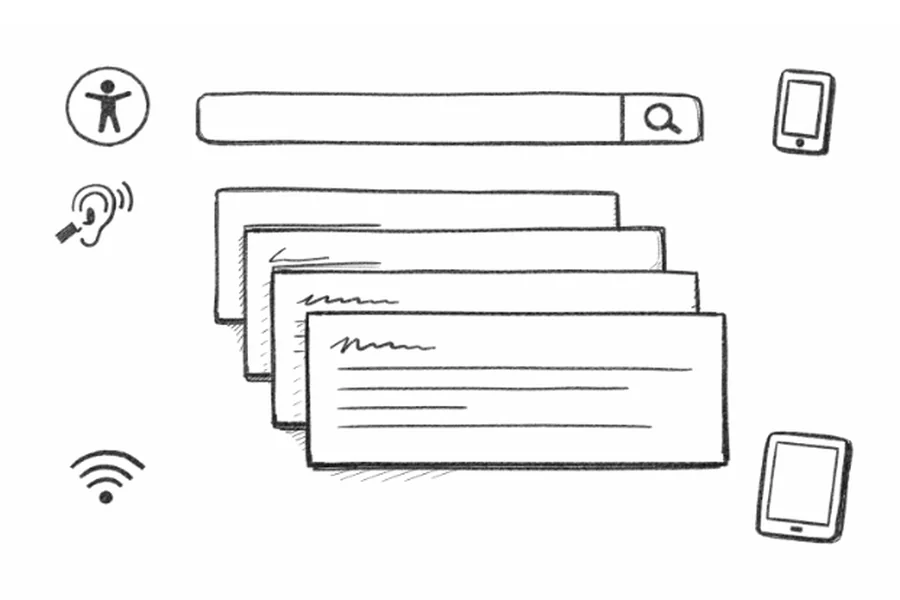
Building an effective FAQ (Frequently Asked Questions) page is a game-changer for any website that wants to improve user satisfaction and reduce the volume of customer support inquiries. By thoughtfully designing your FAQ section, you guide users to the answers they need quickly while building trust and authority. Exploring best-in-class designs on platforms provides practical inspiration to get started and see what works in top-performing websites.
Whether you are revamping an old FAQ or starting from scratch, good structure, clear language, and modern design are critically important. Your FAQ page isn’t just a help resource; it can impact your site’s search visibility, conversion rates, and ongoing reputation. Prioritizing features such as intuitive navigation and accessibility ensures that information is available to all users, including those on mobile devices or with disabilities.
Organize Questions into Logical Categories
Users appreciate finding answers fast, especially when they are already frustrated or confused. Grouping similar questions into sections like “Orders”, “Returns”, or “Technical Support” makes your page easier to scan and search through. These categories should be clearly labeled and ordered by customer priority, reflecting the most common concerns first. This structure not only benefits human users but also helps search engines crawl and contextualize the information for better SEO. You can find more inspiration for organizing information by looking at examples from leading e-commerce platforms and digital services, such as Shopify’s guide to FAQ pages.
Implement a Prominent Search Function
When users cannot find their answer within the first 30 seconds of browsing, they often give up. Including a well-integrated, prominent search bar at the top of your FAQ page lets visitors enter their exact question or keywords directly. The search function should support partial matches and common misspellings so no one is left frustrated. Advanced options can include autocomplete suggestions or filters to help users narrow down their options more efficiently. Leading technology companies like Google and Amazon use robust search features as a core part of their FAQs to provide faster problem resolution.
Use Clear, Concise Language That Reflects User Queries
Communicate answers in the same language your customers use, focusing on clarity and brevity. Each FAQ item should directly reflect an authentic user query rather than sound like an internal process document. For example, questions such as “How do I cancel my order?” are preferable over more technical policies like “Order Cancellation Procedures.” Using conversational, question-based headings not only improves the page’s usability but also boosts its ranking potential for voice and semantic searches, as Shopify’s guide to FAQ pages reports.
Design for Mobile Responsiveness and Accessibility
Mobile internet usage has long surpassed desktop, making a mobile-friendly FAQ page a basic necessity. Use responsive web design elements such as collapsible accordions or single-column layouts, and ensure all text and buttons are touch-friendly. Accessibility should be a priority, including alternative text for images, logical heading structure, keyboard navigation, and ARIA labels for interactive components. This not only extends your reach to people with disabilities but also strengthens your site’s credibility and compliance with relevant standards. For more on this, see resources like the W3C’s accessibility guidelines.
Regularly Update Content to Maintain Relevance and Accuracy
Outdated FAQ answers can frustrate users and contribute to lost sales or customer trust. Regularly review your questions for accuracy and update answers if policies, products, or contact information change. Monitor website analytics or customer support logs to identify new pain points that may require fresh FAQ entries. This ongoing commitment signals to your users that you are attentive to their needs and helps foster loyalty over time.
Incorporate Visual Elements to Improve Comprehension
Not all users learn best from text alone. Enhance your FAQ with visuals, such as screenshots, annotated images, or short tutorial videos, to illustrate step-by-step solutions. For example, a clear image of the “Reset Password” workflow or a one-minute video demo can dramatically increase comprehension. Visual content is particularly helpful for troubleshooting FAQs or explaining complex feature setups. Quality visuals provide an additional layer of clarity, helping reduce repeated support questions.
Monitor User Feedback and Iterate
Creating the perfect FAQ page is a collaborative, evolving process. Encourage visitors to provide feedback by including elements such as thumbs-up/down for answers or a brief rating form at the end of each section. Analyzing this feedback reveals areas of confusion or gaps in your content and should guide future improvements. Public commitment to reviewing and acting on this feedback increases user trust and engagement.
Conclusion
Designing a user-friendly FAQ page demands careful planning, user-centric language, responsive and accessible design, and ongoing optimization. By applying these best practices, you will not only reduce the operational burden on your support teams but also provide a consistently positive experience for every visitor to your website.