Why You Should Always Backup Your Phone: Here’s Why
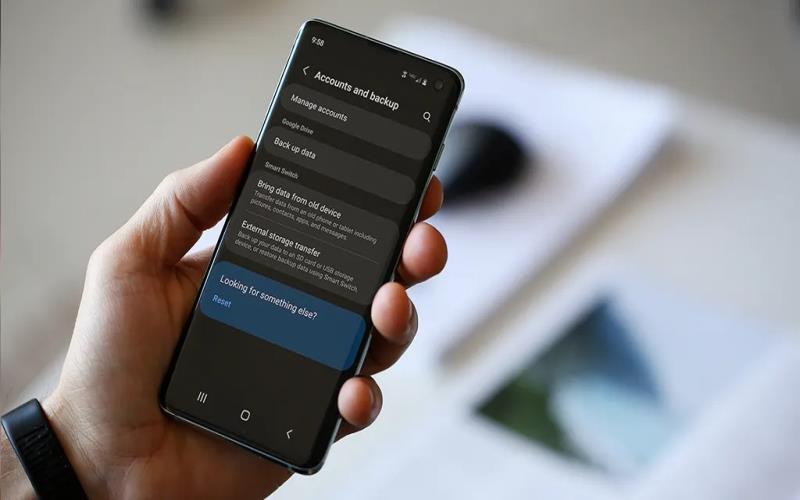
Our phone holds a wealth of important data, from cherished photos to vital contacts. Losing this data can be devastating and can occur unexpectedly. Whether it’s a system crash or a lost device, having a backup ensures you can quickly recover your irreplaceable information. Let’s dive into why backing up your phone is essential and the steps you should take to safeguard your data.
The Risks of Not Backing Up Your Phone
Losing phone data can have significant consequences. Without a backup, you risk losing vital contacts, treasured memories, and essential documents. Data loss can occur from various scenarios, such as accidental deletion, system failures, or physical damage to your device. Additionally, data breaches can happen if your phone gets stolen, leading to potential identity theft. Not having a backup means you cannot restore your phone to its previous state easily, and you might lose crucial data permanently.
What Happens If You Lose Your Data?
If you lose your data, recovering it without a backup can be challenging and sometimes impossible. You might need to rely on data recovery services, which are often expensive and not guaranteed to retrieve all lost data. Moreover, losing important contacts can disrupt your personal and professional life. Missing important photos, messages, and documents can lead to emotional distress and missed opportunities.
Common Phone Problems That Can Lead to Data Loss
Several common phone issues can lead to data loss. Accidental drops can damage your device beyond repair. Software issues, like OS updates gone wrong, can result in data corruption. Virus attacks and malware can compromise your phone’s data integrity. Additionally, losing your phone or having it stolen can instantly make your data inaccessible.
How to Backup Your Android Phone: A Step-by-Step Guide
Backing up your Android phone is essential, and it can be done in several simple steps. Here’s how you can do it efficiently.
Backing Up on Android Devices
To start, go to your phone’s settings and look for the ‘Backup and Reset’ option. Ensure the ‘Back up my data’ feature is turned on. This process will save app data, passwords, and other settings to your Google account. Regularly check to ensure that everything is backed up automatically.
Using Google Backup and Other Services
Google offers a reliable backup service integrated with Android devices. Ensure that your Google account is linked to your phone. Go to settings, select ‘Accounts,’ and choose your Google account. Turn on the sync for essential data like contacts, calendar, and app data. For added security, consider using other cloud services, such as OneDrive or Dropbox, for additional backup options.
What Should You Backup and Why?
Certain data is more critical to back up, ensuring that you can quickly restore your essential information if needed.
Contacts, Photos, and Messages
Your contacts list is crucial for communication. Use services like Google Contacts for automatic syncing. Photos typically capture important moments; utilize Google Photos for seamless photo backups. Messaging apps often store valuable conversations and files; consider backups for apps like WhatsApp using their inbuilt features.
App Data and System Settings
Backing up app data ensures you don’t lose app-specific settings and information. This can include game progress, customization settings, and crucial app data. System settings backups save you from re-setting your preferences, making the transition smoother if you need to reset your device.
How to Sync Contacts from Gmail to Huawei
Keeping your contacts synced between Gmail and your Huawei device is essential. Knowing how to sync contacts from gmail to huawei ensures that you never lose touch with your important contacts and that all updates are reflected across your devices seamlessly.
Step-by-Step Instructions for Huawei Devices
To sync your contacts, go to ‘Settings‘ on your Huawei device. Choose ‘Users & Accounts,’ then tap on ‘Google.’ Ensure ‘Contacts’ is checked. If needed, press ‘Sync now’ to initiate the sync.
Troubleshooting Common Sync Issues
If your contacts are not syncing, ensure you have a stable internet connection. Re-sign into your Google account in the settings or try restarting your device. Checking for software updates can also resolve sync issues.
What Are the Best Methods to Backup Your Phone?
Different methods can be employed to back up your device efficiently.
Cloud Backup Options: Google Drive, OneDrive, and More
Cloud services like Google Drive, OneDrive, and Dropbox offer easy backup solutions. These services allow you to store data online, ensuring it’s accessible from any device. Regularly check your backup settings and ensure that data upload is enabled.
Using External Storage for Backups
Using external storage, like USB drives or SD cards, provides an offline backup solution. Regularly copy essential files and ensure the storage is kept in a safe place.
Conclusion: Why Phone Backup Should Be a Priority
Backing up your phone is a step you should not overlook. It protects your data from loss and ensures you can recover your digital life without significant delays. Regular backups give peace of mind, knowing that important contacts, photos, and documents are safe regardless of any unforeseen issues. Ensure you integrate both online and offline backup methods to cover all bases and secure your precious information effectively.